


My Verizon For Business
4.72.87K Reviews
App Specs
- Version
- 6.8.0
- Updated On
- License
- Free
- Downloads
- 500,000+
- Developer
- Verizon Consumer Group
- Categories
- Business
- Platform
- Android, iOS
Screenshots
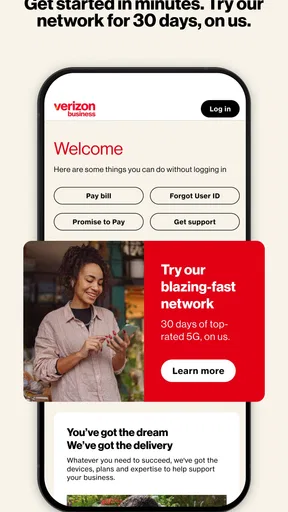
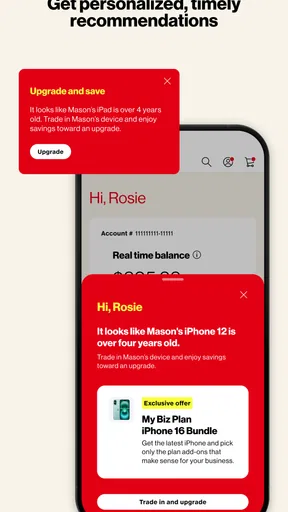
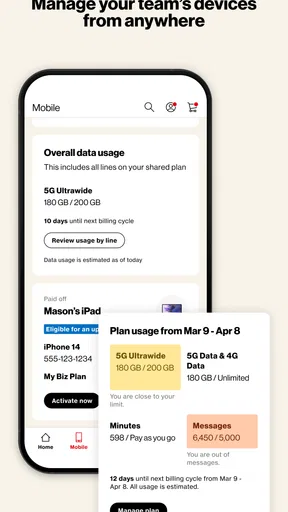
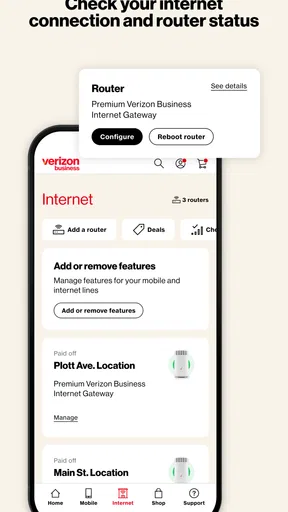
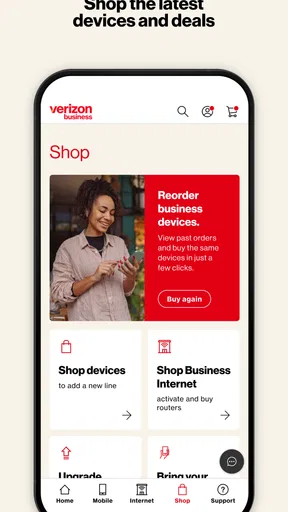
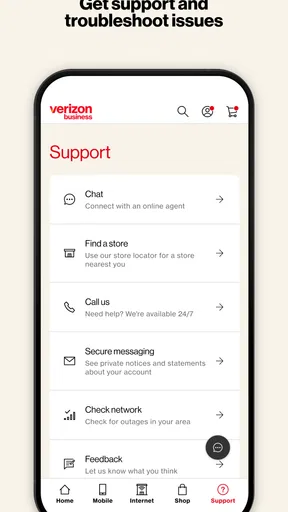
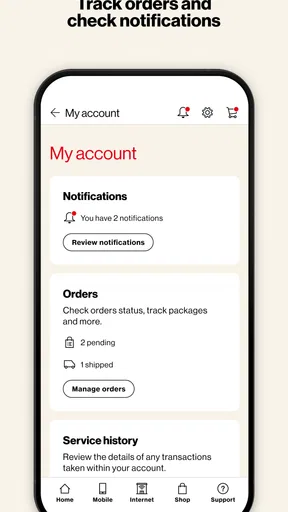
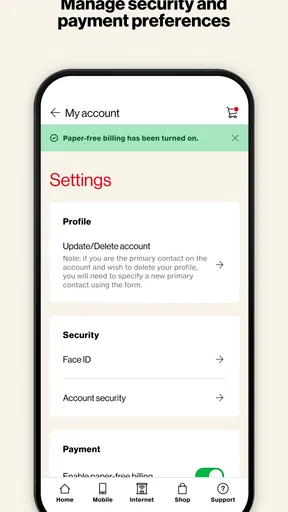
 Analysis by AppCompare
Managing a business mobile account from a phone sounds simple until you need to make a change while away from a desk. That is the situation My Verizon For Business is designed for: it puts account management for Verizon business customers into a mobile app rather than making every task depend on a browser or a call. I found its value less in entertainment or discovery and more in reducing the number of small account jobs that interrupt a working day.
This is a free business app from Verizon Consumer Group, aimed at users who already rely on Verizon services and want access to their account from virtually anywhere. It is available to an Everyone-rated audience, which makes it broadly approachable, but the practical audience is narrower: owners, administrators, and employees who have a legitimate reason to view or manage a Verizon business account. If you are not a Verizon business customer, there is little reason to keep it installed.
How My Verizon For Business feels during everyday account work
When I use a business account app, I care most about whether it helps me handle a small task without turning it into a longer interruption. Here I’ll focus on the practical rhythm of checking or managing an account from a phone, including why I’d keep a clear purpose in mind before opening it. That everyday perspective also sets up a closer look at how quickly routine account work can feel.
Speed expectations when you need a quick answer
The first thing I would expect from an app like this is not flashy design but a short path to useful account information. In that respect, the mobile format makes sense. A phone is often where I am when I notice a billing question, need to check an account detail, or want to handle a small administrative task between meetings. Opening an app can feel more direct than finding the right business page in a browser, signing in again, and navigating a desktop-oriented layout.
That convenience should not be confused with instant performance in every situation. Account apps need to retrieve current information, and the experience naturally depends on connectivity and the service responding properly. I would judge the app by how quickly it gets me to the relevant screen, not by expecting every page to behave like an offline notes app. When the task is simple, the mobile approach is at its best; when the task involves several account areas, the number of steps matters more than animation or visual polish.
One useful habit is to decide what you need before opening the app. If I am checking a particular account matter, I avoid wandering through unrelated sections. That sounds obvious, but it makes a meaningful difference on a small screen. A focused workflow also reduces the chance of making a change in the wrong place, especially when a business account contains several lines, users, or service details.
The current release is version 6.8.0, and the app has been available since May 25, 2016. That long presence suggests a product built around an established account-management need rather than a temporary companion tool. It also means I would approach it as a practical utility: useful when it removes friction, but not something I would install simply to explore.
Worth Reading Before You Choose

EA SPORTS FC Mobile 26 Is a Bigger Football Game, but It Takes Time

Flipboard Shows What News Apps Must Do Beyond the Feed

Switching to Android Auto Means Rethinking Your Driving Routine

Google Calendar Makes a Crowded Week Easier to Manage

Ludo King Makes the Most of the Minutes Between Plans

Baby Panda World Brings Quick Play to Modern Phones, but Its Game Library Feels Busy
What happens during heavier account use
The more demanding moments are likely to come when I move between several areas in one session. A business administrator may begin by checking an account, then review another detail, confirm information, and return to a previous screen. On a phone, each transition can feel more noticeable than it would on a large monitor. The app is therefore more attractive for targeted maintenance than for a long administrative session.
My preferred workflow would be to use the app for urgent or routine checks and reserve complicated account work for a larger screen when one is available. That is not a criticism of this particular product so much as a realistic trade-off of mobile account management. A phone is excellent for being present at the moment a task arises; it is less comfortable when the task requires comparing many details at once.
There is also a practical distinction between a quick check and a high-consequence change. For a quick check, speed and convenience dominate. For a change that affects a business line or account arrangement, I would slow down, read each screen carefully, and verify the selected account before confirming anything. The app’s usefulness should not encourage rushed administration.
A non-obvious advantage is that this kind of access can reduce dependence on a single office computer. If the person who normally handles account administration is traveling, another authorized user may be able to take care of a time-sensitive matter from a phone. The trade-off is that mobile access increases the importance of device security and careful sign-in habits. Convenience is valuable, but business account access should be treated as sensitive even when the task looks minor.
Stability and recovery when a session is interrupted
Reliability matters more here than visual novelty. I want the app to behave predictably when I move between screens, lose a connection, or have to leave it temporarily to answer a call. A good recovery experience should make it clear whether an action was completed, whether I need to try again, and which account area I was viewing. I would not assume that every interrupted action has succeeded simply because the screen changed.
My safest approach is to pause after important actions and look for a clear confirmation or updated account state. If the app appears to stall, I would avoid repeatedly submitting the same request. Instead, I would return to the relevant account area and check whether the change is already reflected. This is a small but important workflow tip for any business-management app, because duplicate attempts can create confusion even when the underlying service is working correctly.
Recovery is also easier when I keep my expectations realistic. If a session expires or the app needs to reconnect, I would rather sign in again than treat an uncertain screen as proof that an account update failed. The mobile format is convenient, but it cannot remove the need for verification when the result matters.
The app’s broad adoption gives it a reassuring context: it has a 4.7 average from around 21 thousand ratings, with roughly 2.9 thousand written reviews. Those figures do not guarantee that every user will have the same experience, but they indicate that the app is not an obscure experiment. I still would not use popularity as a substitute for checking whether it fits my role and account permissions.
Device constraints and compatibility
Compatibility is one of the clearest practical considerations. The app requires Android 7.0 or later, so anyone using an older Android phone should check the device before planning around it. For supported phones, the more important constraints are likely to be screen size, available connection, and how comfortable the user is handling account details on mobile.
A smaller display can make business information harder to review carefully, especially when several items look similar. I would use a larger phone or tablet-sized interface when possible, but I would still treat the app primarily as a mobile utility rather than a replacement for every desktop workflow. The right device depends on the task: a phone is ideal for a quick check while traveling, while a larger screen is better for extended review.
Resource demands are best considered in practical terms rather than imagined benchmarks. This is an account-management app, not a graphics-heavy game, so I would expect its main burden to come from loading account information and maintaining a usable session rather than from intensive visual processing. Still, I would avoid keeping unnecessary apps active when I need a dependable business session on an older or heavily used phone.
Another device-related point is privacy. A shared or unlocked phone is a poor place to manage a business account, even if the app itself is convenient. I would use a device with a secure lock, avoid leaving the account screen visible in public, and sign out or otherwise protect access when the phone is shared. Those steps are especially important for employees who manage company services from a personal device.
Who gets the most value from it
The strongest audience is a Verizon business customer who occasionally needs account access outside the office. A small-business owner checking details during travel, an administrator handling a line-related task between appointments, or a manager who needs to review an account without opening a laptop can all benefit from having the service close at hand.
It is also useful for people who prefer a focused mobile workflow over a browser. The app’s purpose is clear, and that narrow purpose can be an advantage. I do not have to treat it like a general productivity suite; I open it when the Verizon business account is the task.
On the other hand, I would skip it if I rarely need to manage the account, if another authorized person handles everything, or if my work depends on reviewing many records side by side. In those cases, a desktop browser may be more comfortable. I would also avoid installing it merely because it is free. Free matters here because there is no purchase barrier, but it does not create a reason to use a business account app without a Verizon relationship.
How it compares with the usual alternatives
The main alternative is a browser-based account portal. A browser is usually more flexible on a computer and can be easier for detailed review, copying information, or working across several windows. The app’s advantage is immediacy: it is already shaped for a phone and can be opened when a computer is unavailable. I see them as complementary rather than competing replacements.
Calling support is another alternative, especially for complicated matters. A call may be better when the issue is unusual, urgent, or difficult to explain through account screens. The app is more appealing for routine self-service because it lets me begin with the information already associated with the account. When a task becomes unclear, however, a human conversation may save time instead of forcing me through repeated mobile navigation.
General note-taking, email, or spreadsheet apps are not real substitutes. They can record account information, but they cannot provide the same direct connection to the Verizon business account. Using them as a workaround would create extra manual steps and increase the risk of relying on outdated notes. The dedicated app makes more sense whenever the goal is to view or manage current account information rather than merely remember it.
Small workflow choices that make a difference
I would start by identifying the correct business account before doing anything consequential. This is particularly important for people who support more than one organization or who use a phone that also contains personal Verizon access. Taking a moment to confirm the account context is more valuable than trying to move quickly through the first available option.
For recurring administration, I would keep a simple record of what I checked and when, without storing sensitive credentials in plain text. That helps distinguish a fresh review from an old assumption. The app can provide current access, but a business still benefits from its own internal record-keeping when several people share responsibility.
I would also use the mobile app for the part of a task it handles well, then switch to a browser or support channel when the work becomes too detailed. That hybrid approach is more efficient than insisting that one tool handle every situation. The best use of this app is not “everything from a phone”; it is “the right account task from a phone.”
Finally, I would verify the result of any important action before closing the session. This is the most useful practical rule I can offer. A quick confirmation check protects against interrupted connections, mistaken account selection, and simple human error. It also makes recovery easier if I later need to explain what happened.
My performance verdict
My Verizon For Business is a sensible choice for Verizon business customers who want account access while away from a computer. I appreciate its focused role, free availability, and mobile convenience. The app has a 4.7 average and more than 500 thousand installs, which supports the impression that it serves a real and established need rather than being a niche experiment.
Its performance should be judged by dependable access to account work, not by the standards of entertainment apps. It is most convincing during short, purposeful sessions: checking an account detail, handling a routine matter, or starting an administrative task while traveling. It becomes less attractive when I need a broad desktop view, extensive comparison, or help with an unusual problem.
The developer is Verizon Consumer Group, and the Everyone content rating makes the app broadly suitable from an age-classification perspective. In practical terms, though, it remains a specialized business tool. I would recommend it to an authorized Verizon business user who values mobility, while suggesting that more complex work stay on a browser or move to support when necessary.
My bottom line: install it if mobile access can save you a trip to the office or a call for routine account management. Keep your expectations centered on focused administration, protect the device carefully, and verify important changes before leaving the app. Used that way, it is a useful companion rather than an unnecessary extra.
Pros
- Centralizes business lines
- billing
- and account details in one app.
- Useful usage insights help monitor data and calling activity.
- Supports multiple business users and connected company devices.
- In-app support can reduce the need to call customer service.
- Quick access to Verizon promotions and eligible business upgrades.
Cons
- Some account changes may still require a desktop browser or support agent.
- Features can vary depending on your Verizon business plan and permissions.
- Large business accounts may find navigation less convenient.
- Notifications may become excessive when managing several lines.
- Performance can depend on network quality and the number of linked services.
FAQs for My Verizon For Business
What is My Verizon for Business used for?
My Verizon for Business is a mobile account-management app for Verizon business customers. It lets administrators and authorized users review account information, monitor wireless services, manage users and devices, view or pay bills, check data usage, and handle selected support requests without needing to access the full website. The exact tools available can vary depending on your business account type, permissions, and Verizon services.
Who can use the My Verizon for Business app?
The app is intended for Verizon business customers, including account owners, administrators, and other employees who have been granted access to a business account. You generally need valid Verizon business login credentials and the appropriate account permissions. Some users may be able to view information only, while administrators can manage lines, services, billing, and account settings. Personal Verizon customers may need a different Verizon app.
Can I manage billing and payments through My Verizon for Business?
In many cases, the app allows eligible business users to review current and previous bills, check payment status, view billing details, and make or schedule payments. However, available payment features depend on your account setup, billing arrangement, user role, and the services attached to the account. Before relying on the app for an urgent payment, confirm that the transaction was completed and retain the confirmation.
Can I manage business phone lines, devices, and data usage in the app?
My Verizon for Business provides management tools for many Verizon wireless business accounts. Depending on your permissions, you may be able to review lines, monitor data usage, check device information, manage selected features, and identify account activity. Not every change can be completed in the mobile app, and advanced enterprise services or complicated account modifications may redirect you to the Verizon website or customer support.
Is My Verizon for Business free, and what should I know about privacy and security?
The app is generally available to eligible Verizon business customers without a separate app purchase, but your Verizon services, plan, devices, and account activity remain subject to your business agreement and normal charges. Because the app can expose billing and employee or device information, use a secure connection, keep the app updated, protect your login details, and enable available security features. Avoid signing in on shared or unsecured devices.


